How syncing works
When code changes
Repository updates refresh your project; while there are unsent edits or an open Malmoi pull request, those updates are held.
The workflow updates the project from the repository's source files on every commit; without it, the nightly run does the same once a day. When the workflow applies an update, it replaces that source's translated values with the repository values. Keys that disappear from code remain stored so a later code change can bring them back.
On a GitLab project, the workflow is the CI jobs in .gitlab-ci.yml, and Malmoi's change request is a merge request. Everything on this page applies to them the same way.
Update from the repository
Run the generated workflow on the base branch. The workflow checks the push token, the commit, and the files. If the commit is older than the last one Malmoi read for that source, or the files do not match its configuration, that step fails without replacing the source's translations. Earlier source steps in the same workflow may already have succeeded. On GitLab, each source has its own job, so the other sources' jobs aren't affected.
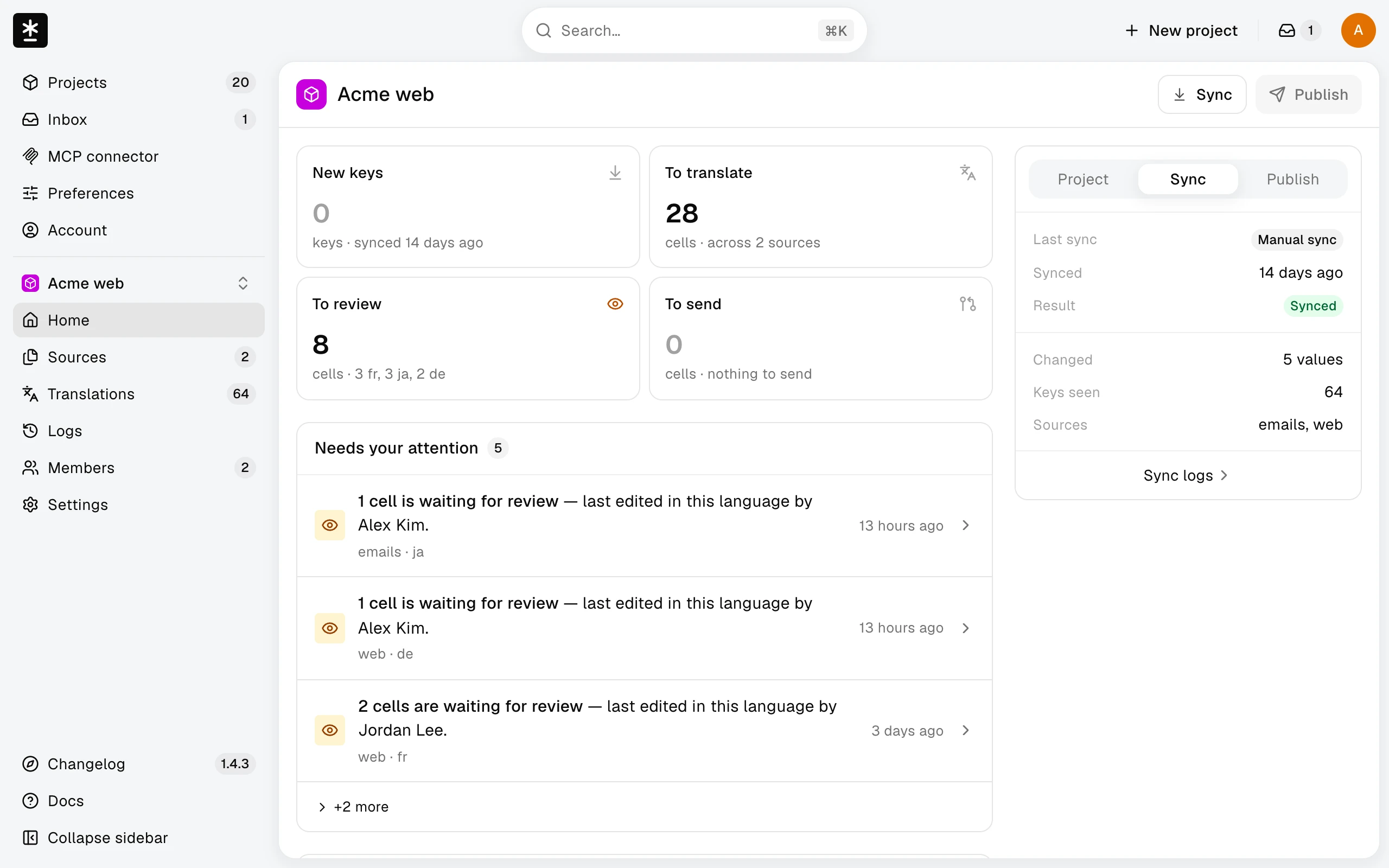
After an update, Home's Sync tab shows the last sync, its result, and how many values it changed. Sync logs lists every sync.
Keep unsent edits
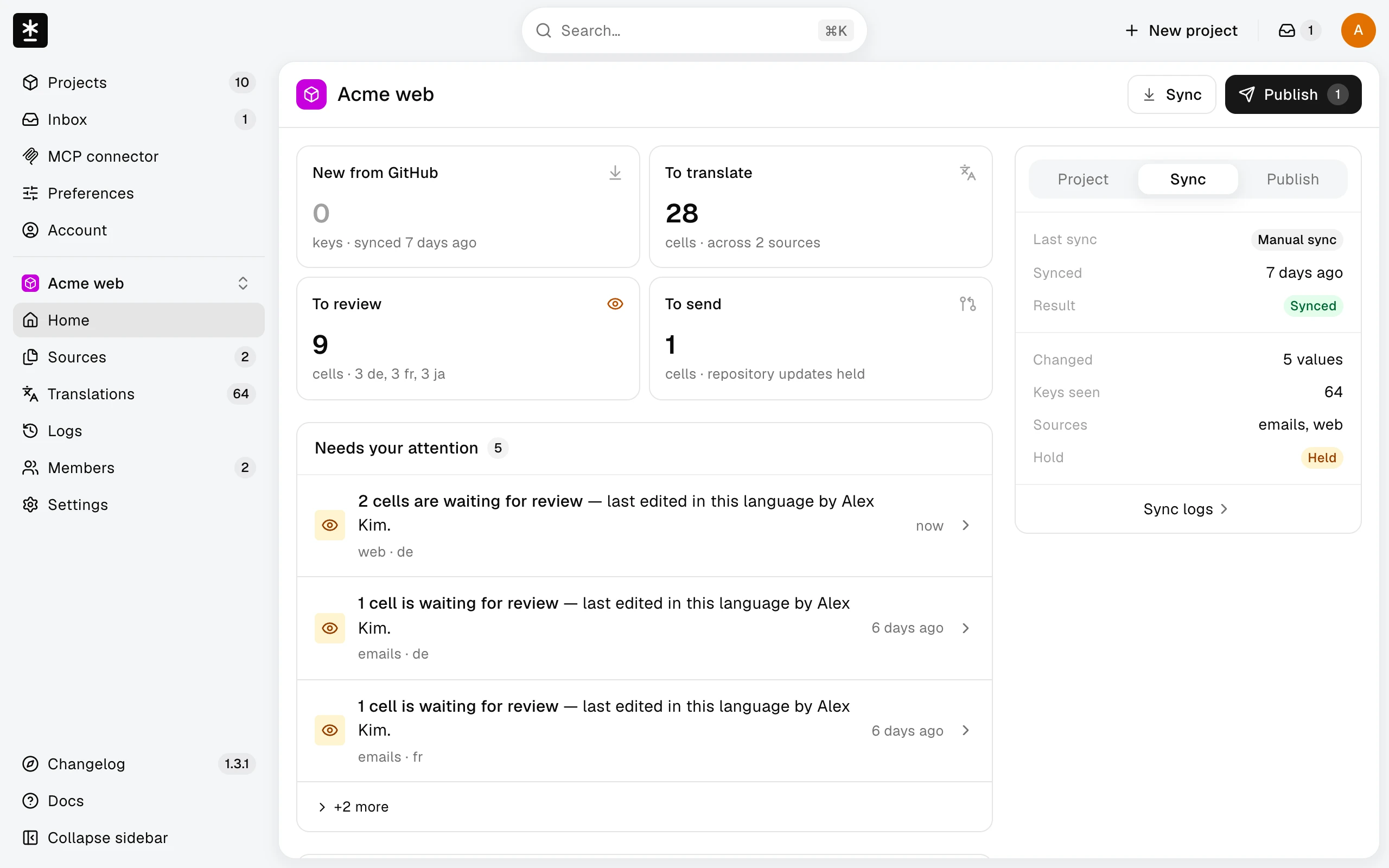
If any translation has an unsent edit, the workflow succeeds and reports deferred: the repository update is held, and Logs shows it as Held. New and removed keys are held too; the repository is not partially loaded. Home's Sync tab shows Held in its Hold row, and the To send card says why. Publish the edits and run the workflow again, or a project owner can resolve them with Undo and resync.
A language removal that hasn't been published yet holds the update the same way, with the reason locale-change-pending: Logs shows Held, and Held because says a language removal is still unsent. Home's Sync tab shows Held in its Hold row, and the To send card says why; the project list and Inbox also say that repository updates are held. Publish the removal or cancel it, then run the workflow again. Adding a language doesn't hold updates. See Cancel a change.
Merge or close the open pull request
Publishing removes the protection for the edits it sent, but those values are not in the repository until the pull request is merged. So while a Malmoi pull request is open, the workflow also succeeds and reports deferred, with the reason open-pr, and loads nothing. Home's Sync tab shows Held in its Hold row, and the To send card says why. Merge or close the pull request. After that, the nightly run or the workflow run for the next commit picks up the changes; merging the pull request itself doesn't start an update (see Keep the loop marker).
If Malmoi couldn't check GitHub for an open pull request, or GitLab for an open merge request, the reason is pr-check-failed and the update is held as well, because Malmoi can't rule the pull request out. Home shows Held here too. Run the workflow again later.
In each case the whole update is held; Malmoi doesn't choose some values from the repository and keep others.
Keep removed keys
A key missing from the repository is kept rather than deleted. Its translations remain available if the key returns in a later workflow run.
What happens next
Read the workflow result in GitHub Actions, or the job log in the GitLab pipeline. A successful update makes the repository's keys available in Malmoi.