Translate
Publish your changes
Review saved translation changes and publish them for the development team to review in GitHub.
Before you start: Save the values you want to publish. Publish includes all saved unsent edits in the project, not only yours.
Preview saved changes
Malmoi puts the files into one change request (a pull request on GitHub). You do not need a GitHub account; the development team reviews and merges it.
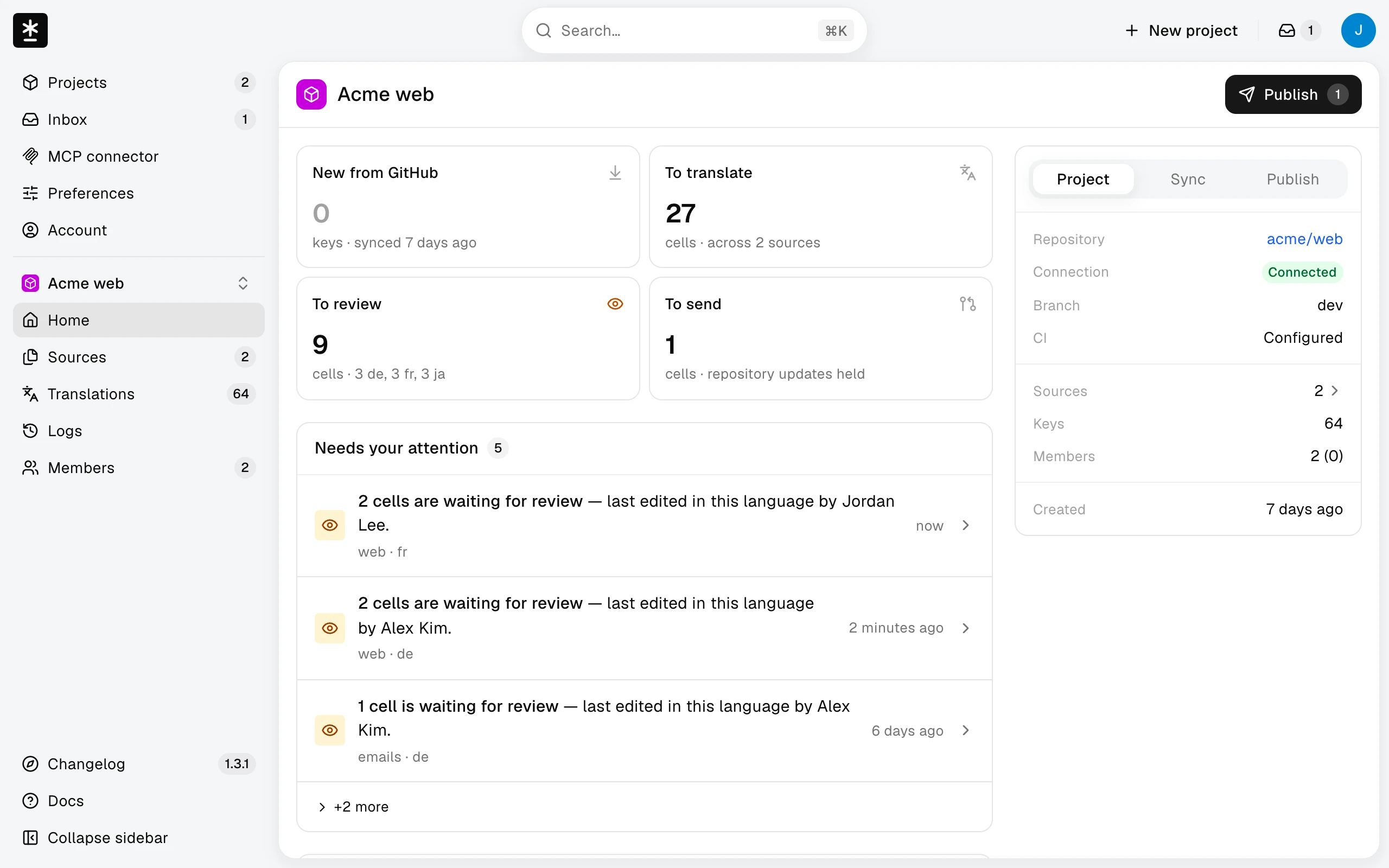
- Choose Publish at the top of Home or Translations.
- Review the pieces of text (keys) and languages in the preview, then use the action described below.
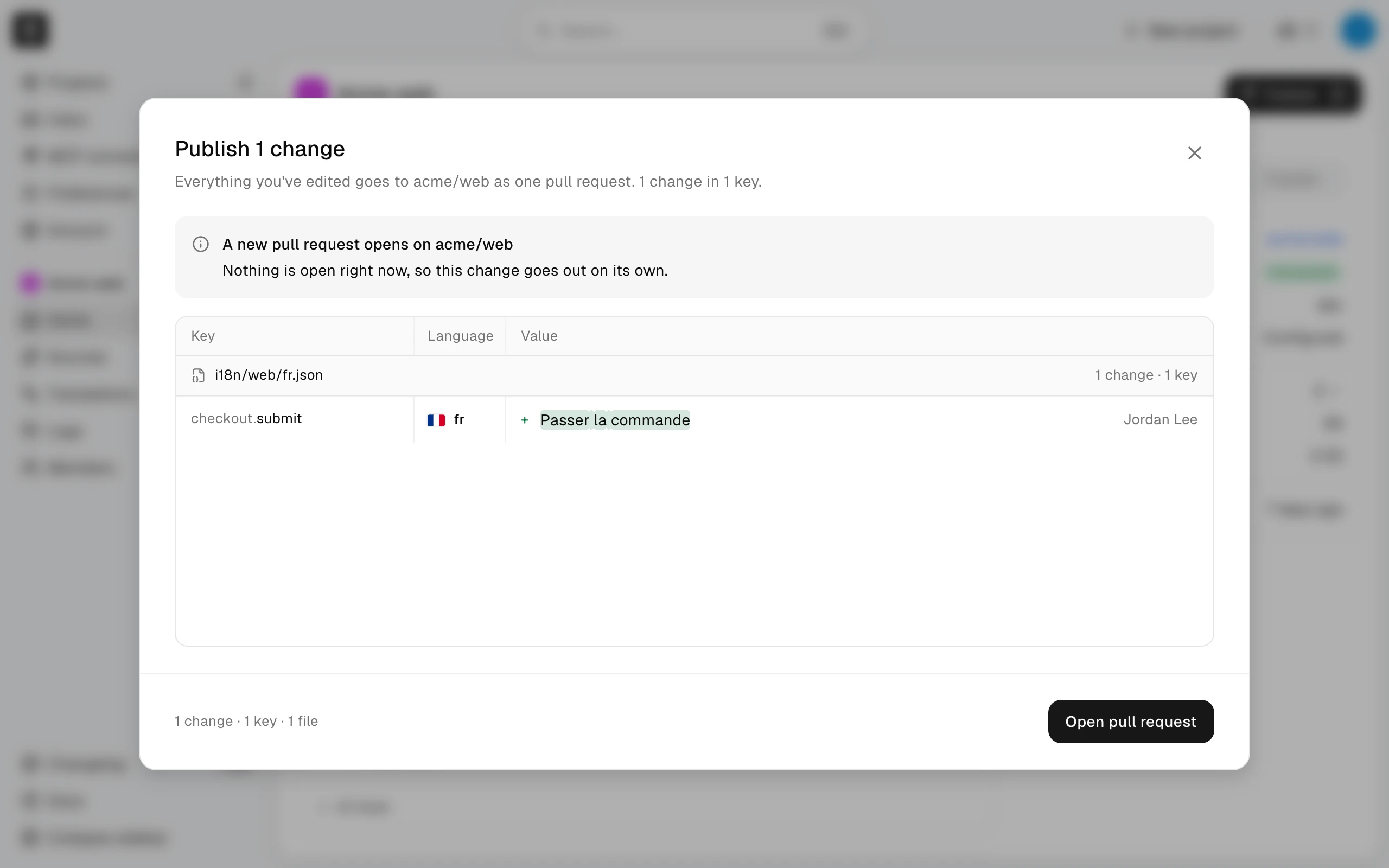
Publish the changes
Choose Open pull request or Replace pull request #N. If your changes already match the files and no pull request is open, the button is Publish. When a pull request is open and the files match, the action is Close pull request #N.
If Publish is turned off, there may be no unsent edits, or publishing may be temporarily unavailable. Wait for an ongoing sync to finish; ask a project owner if it stays unavailable.
If the action fails, your saved values are kept. Try again later or tell a project owner.
Read the result
The result can say:
- Sent for review — a new pull request is open for the development team.
- Your earlier pull request now holds this — the existing pull request was updated.
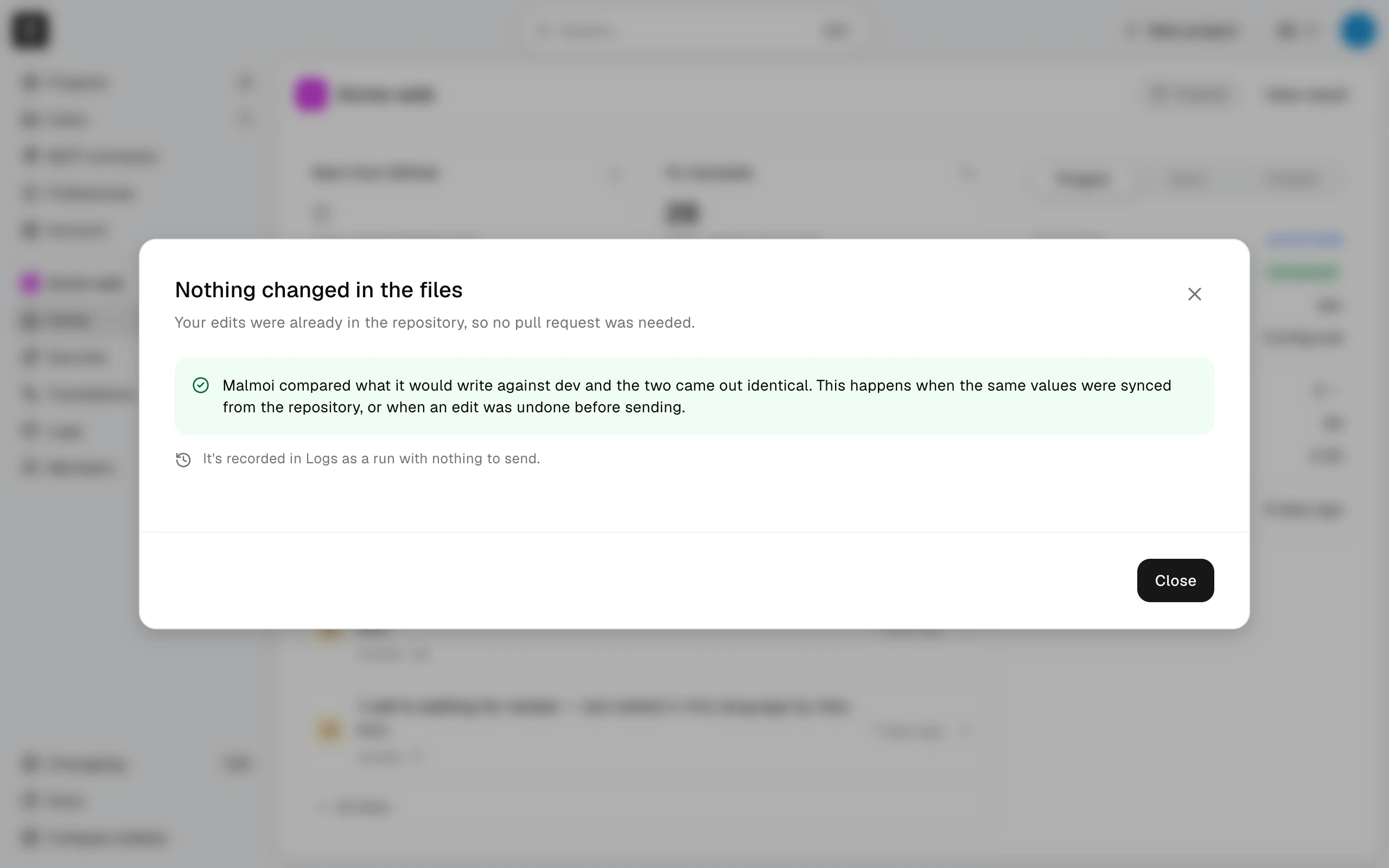
- Nothing changed in the files — there is nothing new to publish.
- Held back — some values can't be written to the files or N edits weren't sent — your saved values are kept. Tell a project owner which files are listed.
- The earlier pull request was closed — your edits now match the base branch, so it had nothing left to review.
- GitHub didn't answer — your saved values are kept; try again later.
- We couldn't confirm whether your changes were sent. Check Logs before trying again.
Automatic publishing
If you do not publish, saved changes are published automatically once a night. See Every night for eligibility and timing.
While the pull request is open
Your published values are safe while the pull request waits for review. Malmoi holds updates from the repository until the development team merges or closes it, so new app text from code can take longer to appear. If the pull request is closed without being merged, the next update from the repository replaces those values with the repository's.
What happens next
The development team reviews the pull request and merges it into the repository.
To check on it later, open the Publish tab on Home. Last publish shows how the latest publish was sent, Published shows when, and Changed shows how many translations it changed in the files. When shown, PR state says whether the pull request is still open. Publish logs lists every publish.