Connect an AI agent
Use a personal token
Use a personal token for agents that can't sign in through your browser, such as Cursor.
Create a token
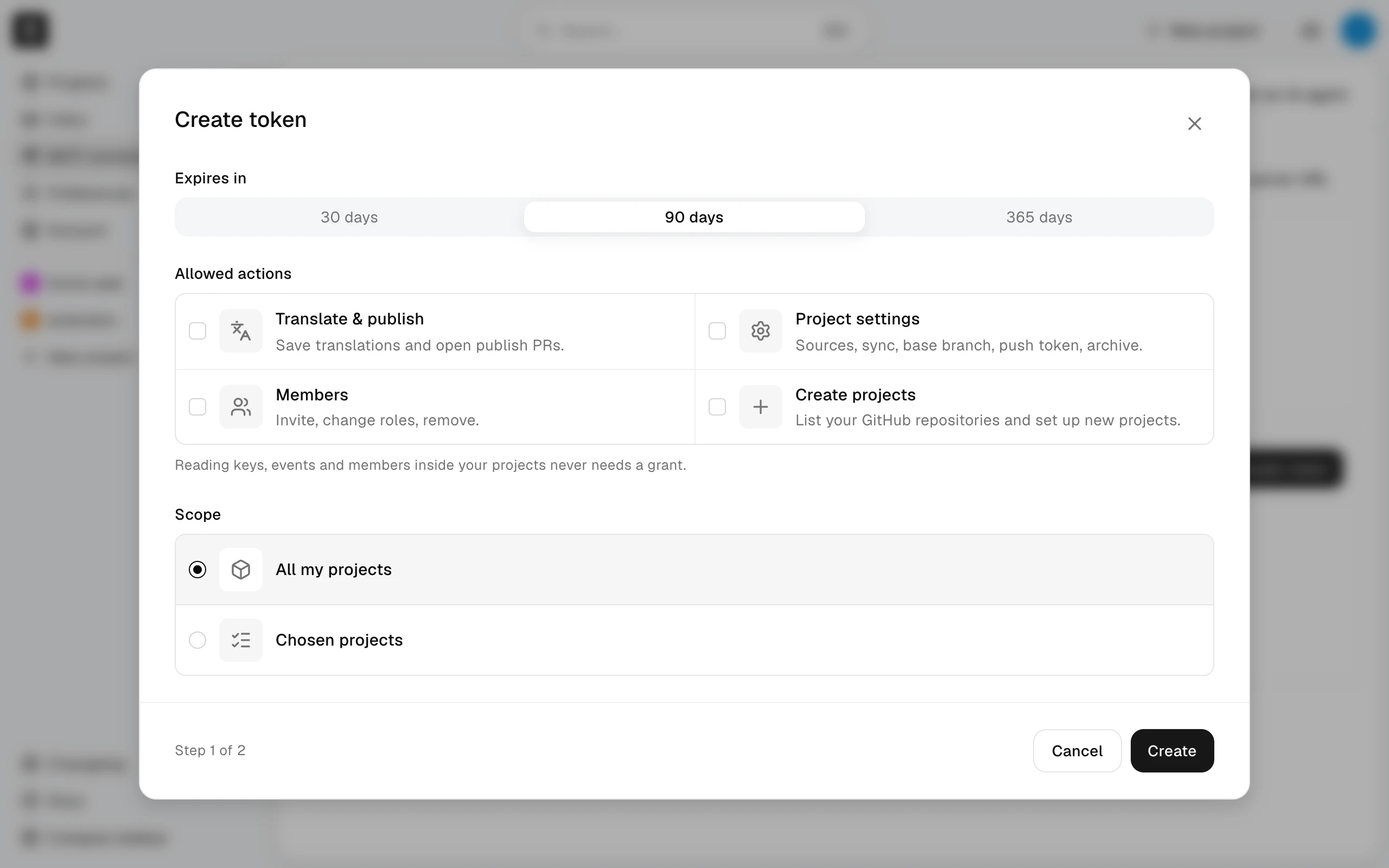
- Open MCP connector in the sidebar and choose Create token.
- Under Expires in, choose 30, 90, or 365 days. Every token expires.
- Under Allowed actions, check what the agent may change. Leave everything unchecked for a read-only token.
- Under Scope, choose All my projects or Chosen projects.
- Choose Create, then Copy the token. It is shown only once; choose Close after you have stored it.
Keep the token out of files and chat. Store it in the MALMOI_TOKEN environment variable of the shell that starts your agent, for example with read -s MALMOI_TOKEN && export MALMOI_TOKEN and then pasting the token. The connection snippets below read that variable, so the token itself never appears in a settings file.
You have one personal token at a time; connected apps don't count toward it. To change what it allows, choose Rotate token, then Rotate and show new token; the old token stops working immediately, and every agent using it stops until you give it the new one. Revoke stops the token without creating a new one. An expired token shows Expired; create a new one.
Add Malmoi with a token
In the snippets below, replace SERVER_URL with the server address of the site you are using. To copy it, choose Copy server URL on the Connected apps card of the MCP connector page.
Claude Code
Add this to .mcp.json at the root of your project:
{
  "mcpServers": {
    "malmoi": {
      "type": "http",
      "url": "SERVER_URL",
      "headers": {
        "Authorization": "Bearer ${MALMOI_TOKEN}"
      }
    }
  }
}
Codex
Add this to your Codex configuration file:
[mcp_servers.malmoi]
url = "SERVER_URL"
bearer_token_env_var = "MALMOI_TOKEN"
Cursor
Add this to .cursor/mcp.json in your project:
{
  "mcpServers": {
    "malmoi": {
      "url": "SERVER_URL",
      "headers": {
        "Authorization": "Bearer ${env:MALMOI_TOKEN}"
      }
    }
  }
}
Restart the agent after adding the entry. If it reports unauthorized, the token is missing, expired, or revoked: check MALMOI_TOKEN, or rotate the token.
What happens next
Ask the agent to work in Malmoi. See What the agent can do for what the token allows, and Example prompts for requests to start with.