Set up a project
Add the workflow
Add the generated GitHub Actions workflow so repository changes reach Malmoi.
Before you start: Have the push token from the Malmoi is ready page. Store the secret before committing the workflow file.
Store the secret
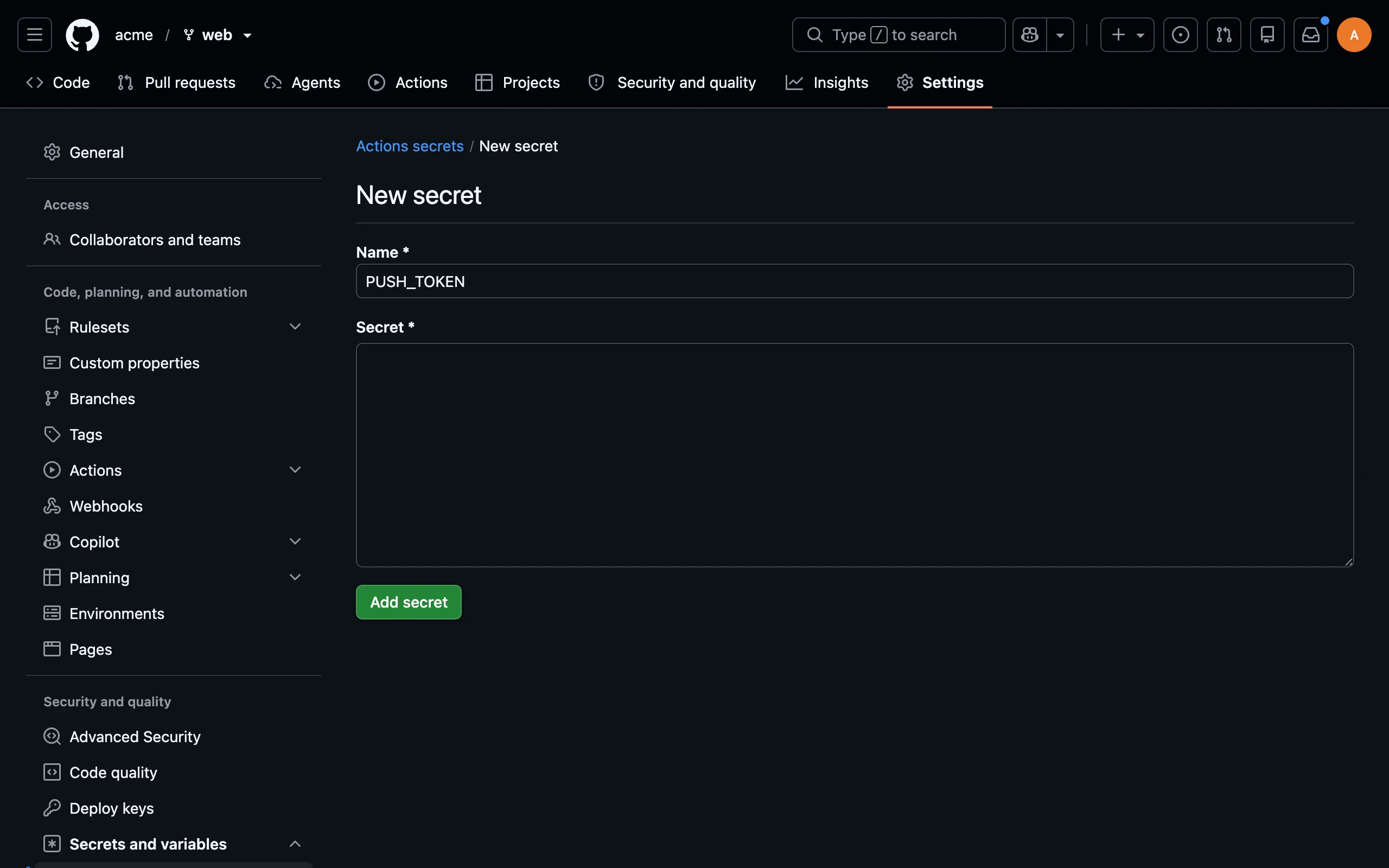
- In GitHub, open the repository's Settings, choose Secrets and variables, then Actions.
- Choose New repository secret, enter
PUSH_TOKEN, paste the push token, and save it.
Add the workflow
- Copy the workflow from the Malmoi is ready page, or later from Settings, and save it as
.github/workflows/malmoi-i18n.ymlin the repository. - If your organization restricts actions, follow Allow the actions.
- Commit the file on the base branch you chose during setup. The generated workflow has one step for each source.
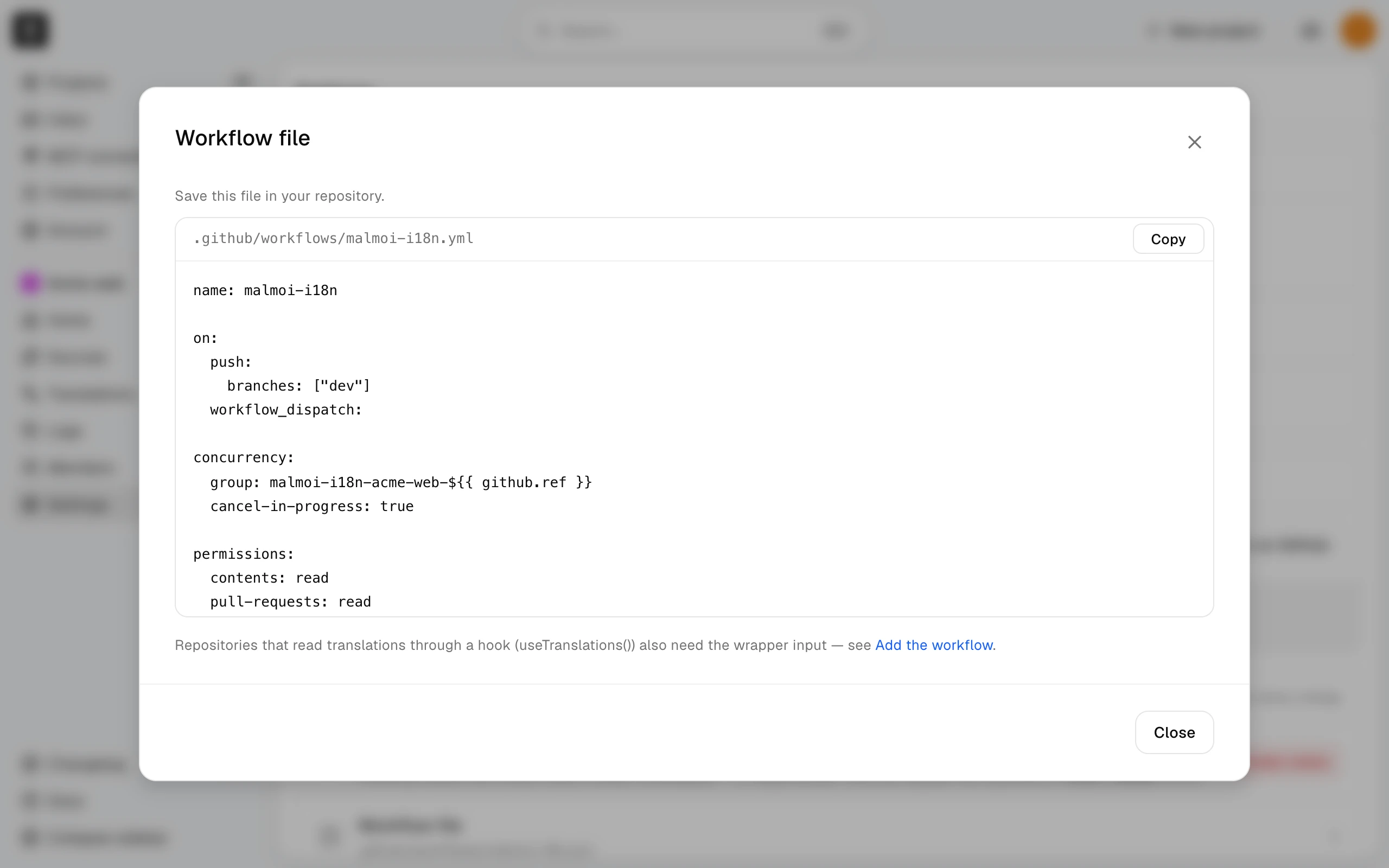
If your code reads translations through a wrapper function other than the default @/i18n#t, add the wrapper input under that step's with:. Use module#export for a direct function, or append () for a hook, such as next-intl#useTranslations(). For multiple wrappers, use a YAML | block with one per line. Setup does not ask for this input. It helps Malmoi find code references; it does not decide which translation keys exist.
The github-token input is read-only and is used only to warn about an open pull request.
Update an older workflow
A workflow that uses malmoi-i18n-push-v1 or malmoi-i18n-push-v2 keeps working unchanged. To move to malmoi-i18n-push-v3, open Settings in Malmoi, choose Workflow file, copy the whole file, and replace .github/workflows/malmoi-i18n.yml with it. Then add back anything you changed by hand, such as a wrapper input, a custom api-url, or edited triggers. The generated file doesn't include them, and a missing wrapper leaves the run green while code references stop appearing. Version 3 warns in the run log when an update is held because a Malmoi pull request is open or couldn't be checked, and a value Malmoi doesn't manage, such as a number in a YAML file, no longer fails the run — that key is skipped with a warning. Coming from version 1, you also get version 2's changes: it runs on Node 24, so the Node 20 deprecation warning leaves the run log, and it fails some runs that version 1 let through, such as a key defined twice in a JSON or YAML file, an api-url that is not HTTPS, or a language file that cannot be read. A workflow generated by a self-hosted Malmoi always includes an api-url line with that site's address, so it comes with the copied file; keep it.
Run and check it
Committing the workflow on the base branch starts it. To run it again, open GitHub Actions, choose the workflow, and choose Run workflow. Check the run log: applied means the files were loaded and Sources is updated in Malmoi. A green run can also report deferred when there are unsent edits — the update is held, and Logs shows it as Held; see When code changes. A failed run shows its reason in the log. In Malmoi, Home's Sync tab shows the latest sync: CI sync as the Last sync, its Result, and how many translations it changed under Changed. Sync logs lists every sync.
To change the base branch later, change Base branch in Settings, choose Save, and edit the workflow's branches: value. If you change a source's base language, follow Add sources to update the workflow entry.
What happens next
After the first successful run, Malmoi can show code references for keys. The project remains ready even when a later run fails.