Set up a project
Allow the actions
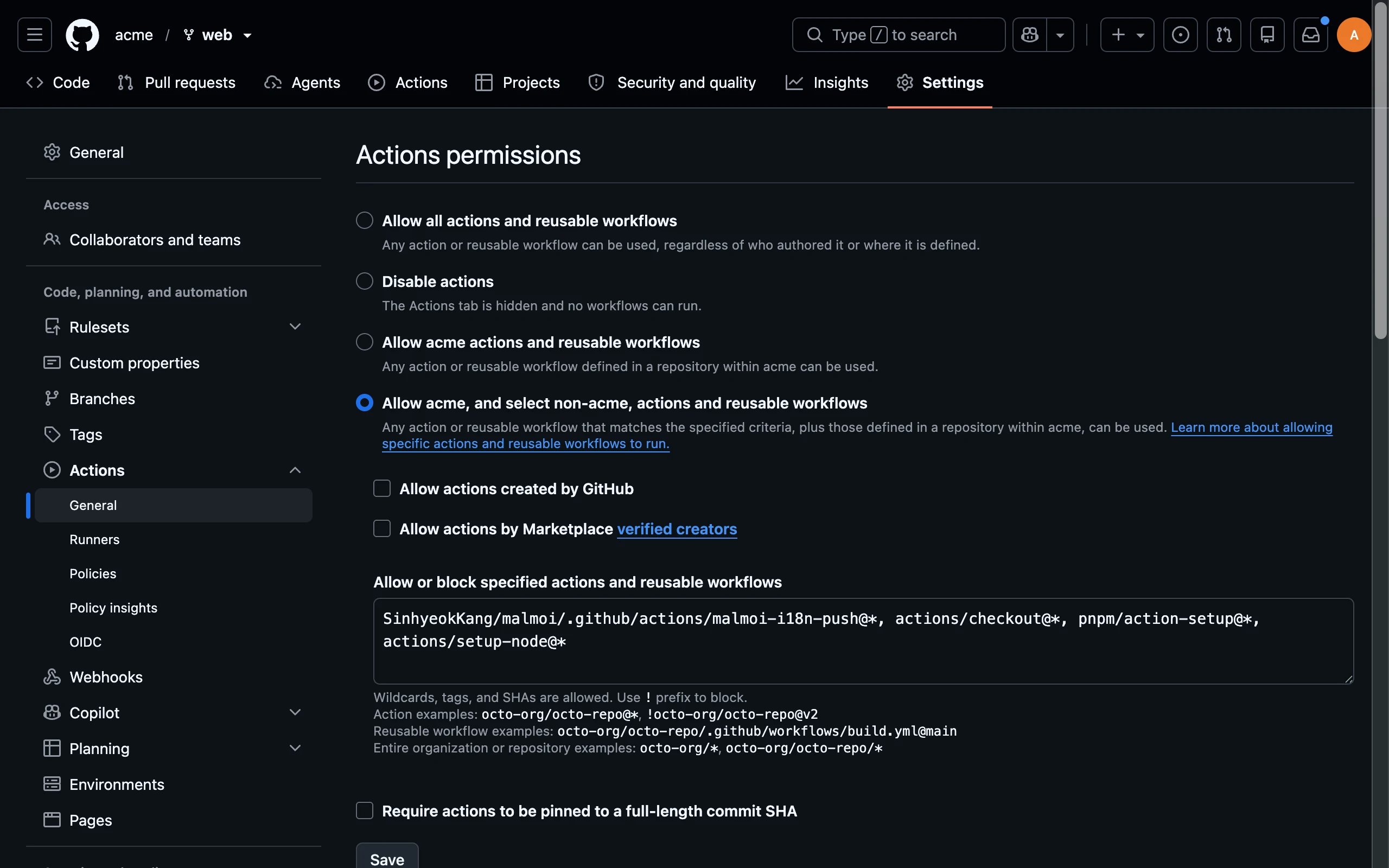
Allow the four actions used by the generated workflow when your repository or organization restricts GitHub Actions.
Before you start: Open the repository or organization Settings, then Actions → General.
Allow the required actions
-
Choose Allow OWNER, and select non-OWNER, actions and reusable workflows. GitHub shows your account or organization name in place of OWNER. Add the four comma-separated patterns below:
SinhyeokKang/malmoi/.github/actions/malmoi-i18n-push@*, actions/checkout@*, pnpm/action-setup@*, actions/setup-node@* -
Save the policy and run the workflow again.
When an action is blocked, the run stops at Set up job with “not allowed to be used.” The push token cannot change this GitHub policy.
What happens next
The workflow can read the repository after all four actions are allowed. If the run still fails, read the reason in its GitHub Actions log.