GitLab
Add the GitLab CI jobs
Add the generated CI jobs to your GitLab project so repository changes reach Malmoi.
Before you start: Have the push token from the Malmoi is ready page. Store the CI/CD variable before committing the jobs.
Store the push token
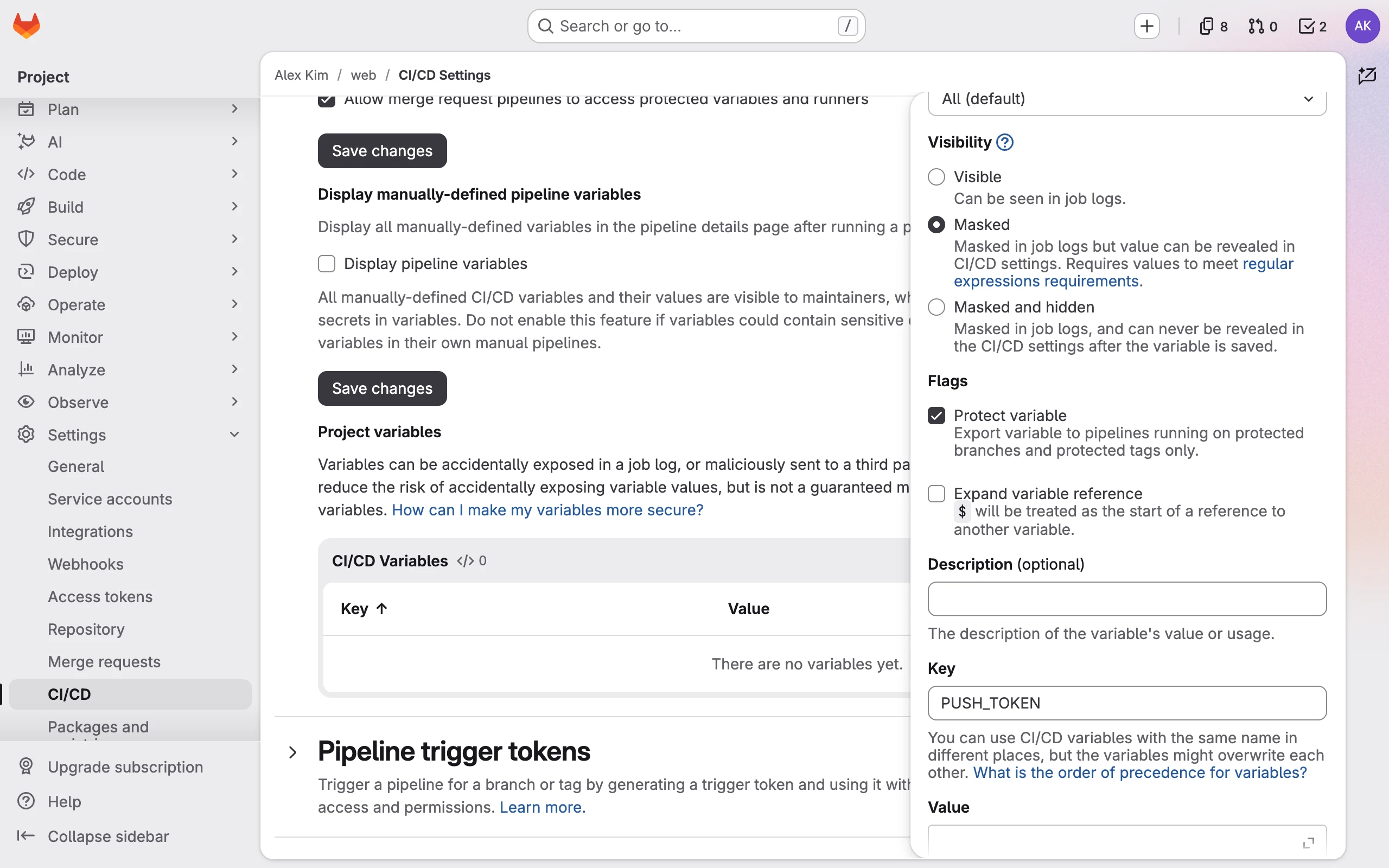
- In GitLab, open the project's Settings › CI/CD, expand Variables, and select Add variable. Name it
PUSH_TOKEN, paste the push token as its value, select Protect variable, and keep Visibility at Masked.
Protect the base branch
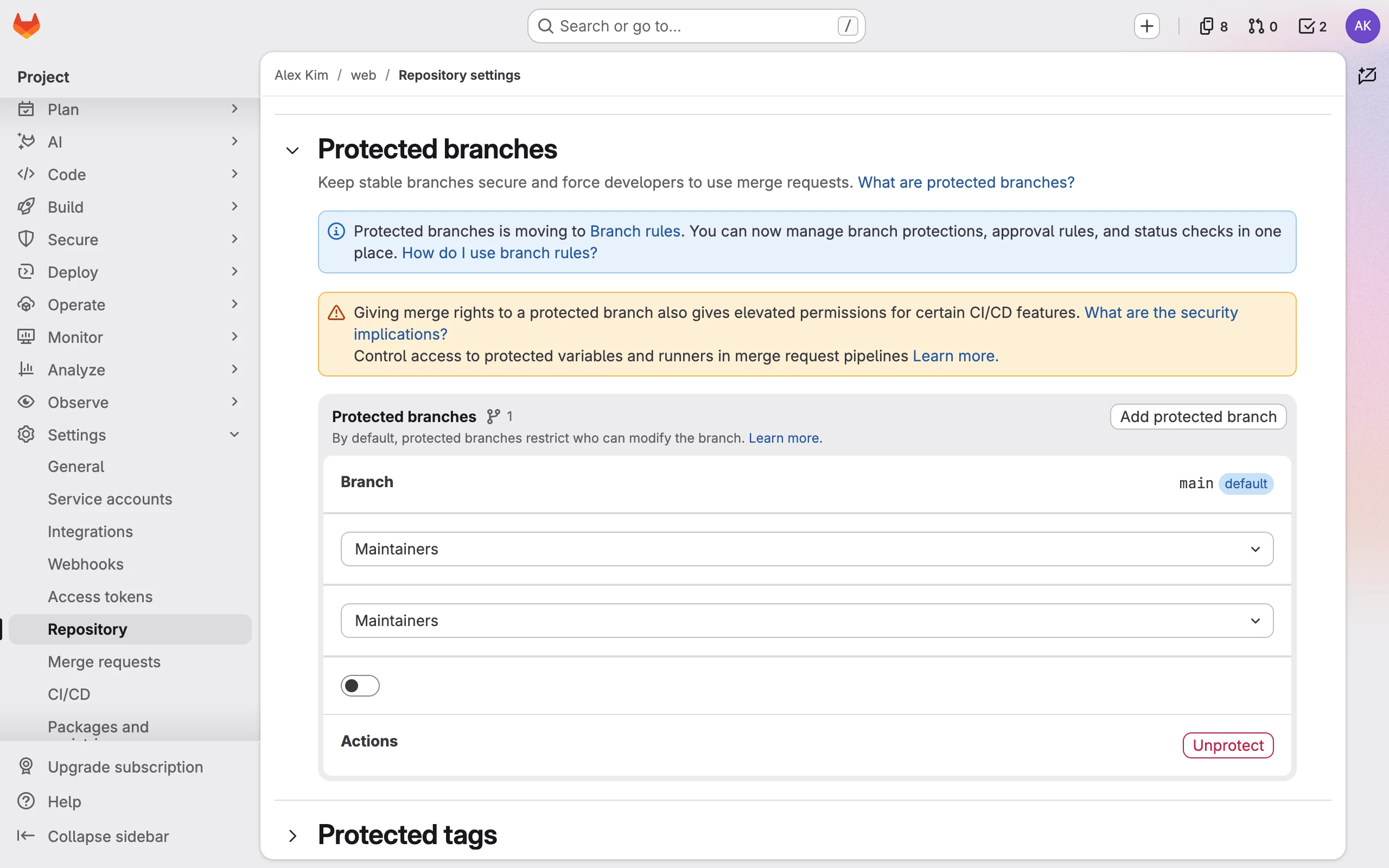
- Make sure the base branch you chose is protected in GitLab; GitLab protects the default branch unless you changed it. A protected variable reaches only protected branches, so on an unprotected branch the jobs fail without
PUSH_TOKEN. Don't protect Malmoi'smalmoi-i18n/sync-*branches, including through a wildcard rule: Publish writes to them, and fails while they are protected.
Add the CI jobs
- Copy the jobs from the Malmoi is ready page, or later from Settings with CI file, and add them to
.gitlab-ci.ymlat the root of the repository. If the file already exists, add the jobs to it. - Commit the file on the base branch.
There is one job for each source, and the job names include the project address, so two projects in one repository don't overwrite each other's jobs. The jobs run only for new commits on the base branch, and they skip commits that contain [skip-malmoi-i18n]. They use the test stage; if your file lists its own stages:, keep test in that list. The runner must be able to reach github.com (each job fetches Malmoi's script at a fixed version), registry.npmjs.org, Docker Hub (the jobs use the official Node.js image), and Malmoi.
If your code reads translations through a wrapper function, fill in MALMOI_I18N_WRAPPER (empty by default) in that source job's variables:, with one wrapper per line. Use module#export for a direct function, or append () for a hook, such as next-intl#useTranslations(). It helps Malmoi find code references; it does not decide which translation keys exist. To change the base branch later, change Base branch in Settings and edit the MALMOI_I18N_BASE_BRANCH value. When you add sources, copy the whole file from Settings again and replace Malmoi's jobs with it.
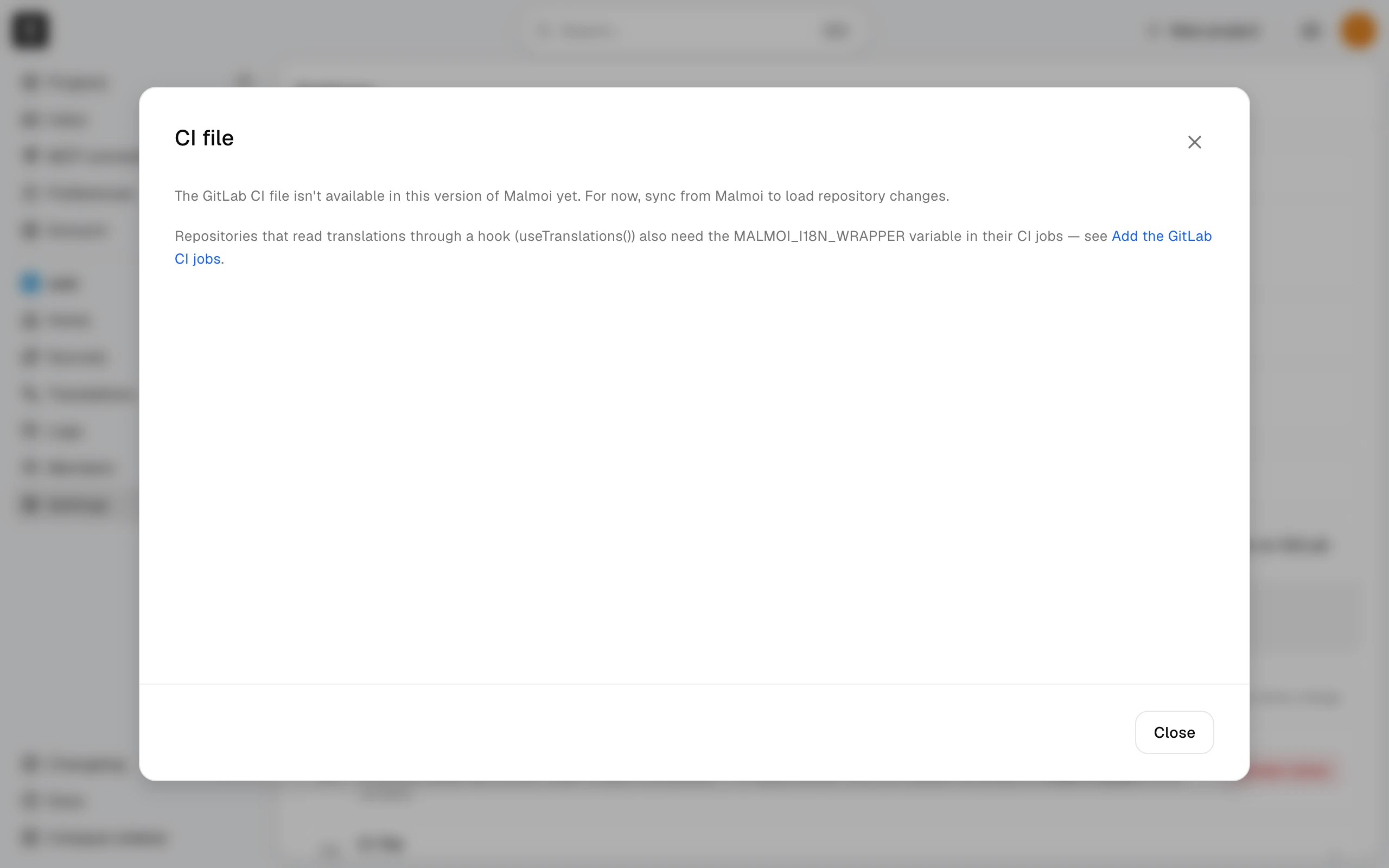
If the CI file isn't available
If Malmoi says the GitLab CI file isn't available in this version of Malmoi yet, there are no jobs to copy. Keep the push token anyway; until the CI file is available, the nightly run and Sync load repository changes. A base language change applies only through the CI jobs, so it waits until you add them.
Run and check it
Committing the jobs on the base branch starts them. To run them again, run the job again from its pipeline. Check the job log: applied means the files were loaded and Sources is updated in Malmoi. A successful job can also report deferred when there are unsent edits — the update is held, and Logs shows it as Held; see When code changes. A failed job shows its reason in the log. In Malmoi, Home's Sync tab shows the latest sync: CI sync as the Last sync, its Result, and how many translations it changed under Changed. Sync logs lists every sync.
What happens next
After the first successful run, Malmoi can show code references for keys. The project remains ready even when a later run fails.